Choosing an OS for Your Fleet: Windows 11 Pro vs Windows IoT vs Ubuntu Linux

The operating system you run on a fleet of mini PCs shapes everything from licensing costs to how the devices behave in the field. For a signage, kiosk, or edge deployment, the right OS isn’t always the one you’d put on a desktop. This guide compares the three most common choices, Windows 11 Pro vs Windows IoT vs Ubuntu Linux, so you can match the OS to your deployment.
Why the OS choice matters for a deployment
On a single desktop, the OS is a background detail. Across a fleet of unattended devices, it affects licensing cost, how locked-down and stable each unit is, what software it can run, and how you manage updates. Choosing deliberately, rather than defaulting to whatever’s familiar, can save money and headaches across the whole deployment.
Windows 11 Pro
Windows 11 Pro is the full desktop version of Windows, the one most people and businesses already know.
Best for: deployments that need full Windows compatibility, run standard business or third-party Windows software, or where your team already manages Windows and wants the familiar tools.
Strengths: runs virtually any Windows application, broad hardware and peripheral support, familiar management, and standard enterprise tooling.
Trade-offs: per-device licensing cost, and it’s a full desktop OS, more than some single-purpose signage or kiosk deployments need, with more to lock down for unattended use.
Windows IoT
Windows IoT (Enterprise) is a specialized version of Windows built for dedicated, single-purpose devices, kiosks, signage, point-of-sale, and industrial equipment.
Best for: fixed-function deployments where a device does one job, running the same application continuously and unattended.
Strengths: lockdown features designed for kiosks and signage (restricting the device to one app, hiding the desktop, controlling updates), long-term version stability so a deployed image stays supported for years, and Windows app compatibility without the full desktop overhead.
Trade-offs: it’s purpose-built for dedicated devices, so it’s less suited to general-purpose use, and it still carries licensing considerations.
Ubuntu Linux
Ubuntu is a popular, free, open-source Linux distribution widely used for servers, edge devices, and signage.
Best for: deployments that want to avoid per-device licensing costs, run Linux-based or web-based signage software, or need a lightweight, customizable, stable platform for edge and IoT.
Strengths: no licensing fee, lightweight and efficient, highly customizable and lockable, strong for web-based and containerized applications, and a large support community.
Trade-offs: some commercial Windows-only software won’t run on it, and it may require more Linux familiarity to manage, though for fixed-function web or signage deployments, that’s often minimal.
Windows 11 Pro vs Windows IoT vs Ubuntu: side-by-side comparison
| Windows 11 Pro | Windows IoT | Ubuntu Linux | |
|---|---|---|---|
| Best for | Full Windows compatibility | Dedicated kiosks/signage | Cost-sensitive, web/edge |
| Licensing | Per device | Per device | Free |
| Software | All Windows apps | Windows apps | Linux/web apps |
| Lockdown | Manual setup | Built-in kiosk features | Highly configurable |
| Overhead | Full desktop | Streamlined | Lightweight |
| Best fit | Business workstations | Single-purpose devices | Signage, edge, IoT |
How to choose
Ask what the deployment actually does:
- Running standard Windows business software? Windows 11 Pro.
- A dedicated kiosk or signage screen doing one job, unattended, for years? Windows IoT, its lockdown and stability features are built for exactly this.
- Web-based signage, a Linux stack, or avoiding licensing costs at scale? Ubuntu Linux.
Many fleets even mix them, Windows IoT on customer-facing kiosks, Ubuntu on web-based signage, Windows 11 Pro on back-office workstations, all on the same hardware.
The hardware question: does your mini PC support all three?
Not every mini PC supports every OS, so this matters when you choose hardware. Azulle devices support Windows 11 Pro, Windows IoT, and Ubuntu Linux, which means you can pick the right OS per deployment, or change your mind later, without changing hardware. That flexibility is useful when a fleet spans different use cases or when requirements evolve.
Frequently asked questions
What’s the best OS for digital signage?
For dedicated signage displays, Windows IoT (for its kiosk lockdown and long-term stability) or Ubuntu Linux (for web-based signage and no licensing cost) are usually better fits than full Windows 11 Pro. The best choice depends on your digital signage software.
What’s the difference between Windows 11 Pro and Windows IoT?
Windows 11 Pro is the full desktop OS for general use. Windows IoT is a specialized version for dedicated, single-purpose devices, with built-in lockdown features and long-term version stability suited to kiosks and signage.
Is Ubuntu Linux good for kiosks and signage?
Yes. Ubuntu is lightweight, free, highly configurable for lockdown, and strong for web-based and containerized signage applications, which makes it a popular choice for edge and signage deployments.
Do I need to pay for Windows IoT?
Windows IoT involves licensing like other Windows editions, versus Ubuntu Linux which is free. The right trade-off depends on your software needs and whether Windows app compatibility is required.
Can one mini PC run different operating systems?
If the hardware supports them, yes. Azulle devices, for example, support Windows 11 Pro, Windows IoT, and Ubuntu Linux, so you can choose the OS per deployment or switch later without changing hardware.
The bottom line
There’s no single best OS for a fleet, only the best fit for what the deployment does. Windows 11 Pro for full compatibility, Windows IoT for dedicated kiosks and signage, Ubuntu Linux for cost-sensitive, web-based, and edge deployments. Choose deliberately, and pick hardware that supports all three so you keep your options open.
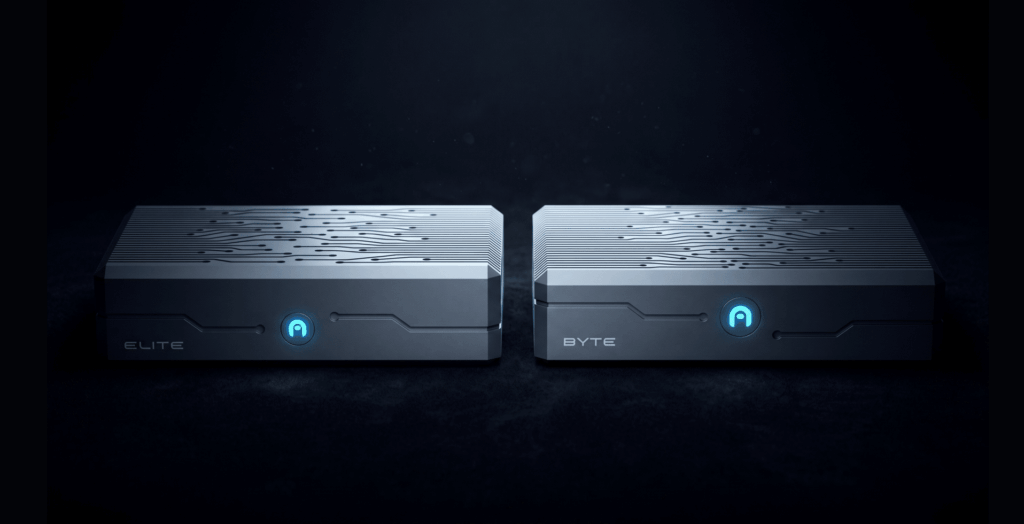
Azulle devices support all three operating systems. Talk to our US-based team about the right OS and platform for your deployment, or explore Elite and Byte Modular.