Optimize Your Enterprise Video Conferencing & Collaboration with Azulle Mini PCs
Customize Your Mini PC With Modular Components and Tailored Enhancements.
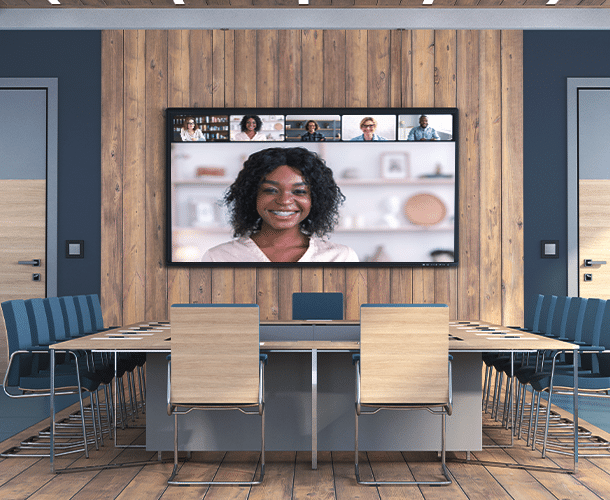
Elevate your business’ video conferencing experience with a small form factor that can be mounted alongside projectors or behind any display. Power breakout rooms, collaboration spaces, and cutting-edge conference rooms with Azulle hardware solutions.
Enhance Your Video Conferencing and Collaboration Experience with Azulle
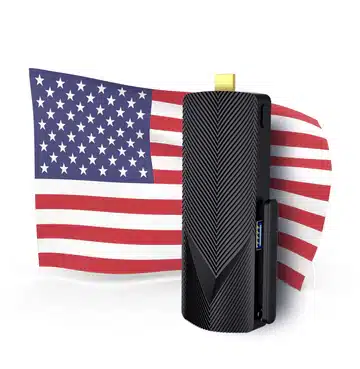
Azulle Mini PCs have the compatibility to seamlessly connect with your existing conference room solution with expert guidance, implementation support, and managed services. Their small footprint allows for easy integration into any video conferencing space. All of our mini PCs are customizable and compatible with a wide range of software and hardware options.
Azulle Mini PCs’ small form factor makes them easy to integrate into any meeting room set-up ideal for business meetings, employee training, and remote work.
COLLABORATE FROM ANYWHERE,
AT ANY TIME
Accelerate decision-making in meetings by involving all of your workforce no matter their location. Never miss out on the value of face-to-face communication and have more structured and focused discussions with Azulle mini PCs designed for silent operation and with multiple connectivity options, supporting various peripherals and network configurations.
EXPAND ACCESSIBILITY FOR ENTERPRISES
Azulle offers a versatile solution for enterprises, maximizing their utility in enterprise settings not only for being cost-effective but also for low power consumption and future-proof, ensuring minimal downtime for maintenance and upgrades.
Revolutionize Remote Rooms with Zoom Rooms
Zoom Rooms is designed to maximize communication, collaboration, and productivity between remote and in-house workers within meeting spaces. Transform any space into a Zoom Room with Azulle hardware and Zoom’s video-conferencing software and experience video conferencing on a whole different level.
COLLABORATE ANYWHERE, ANYTIME
Your employees do not need to be in the same space to collaborate effectively. With the use of Zoom Room apps, you can share websites, graphics, videos, and other content seamlessly with one another, no matter where you are.
TAP INTO ZOOM DIGITAL SIGNAGE
Create an immersive experience that goes beyond video conferencing with Zoom Digital Signage powered by Azulle hardware. With the use of Zoom Room Digital Signage, you can share content such as websites, images, and videos across multiple screens without having to deploy a Zoom Room meeting.
SHARE CONTENT SIMULTANEOUSLY
Easily share multiple screens during meetings with various sharing options such as via browser and once-click proximity sharing.
Mini PCs provide a space-saving, energy-efficient, and powerful alternative to bulky desktops. They’re ideal for video conferencing setups in offices, meeting rooms, and home workspaces—delivering smooth performance without clutter.
Can Azulle mini PCs run popular video conferencing platforms like Zoom, Microsoft Teams, or Google Meet?
Yes. Azulle mini PCs support all major video conferencing platforms. Whether you’re using Windows or Linux, you can easily install and run apps like Zoom, Teams, Webex, and Google Meet with excellent audio and video quality.
What are the hardware requirements for smooth video conferencing, and do Azulle mini PCs meet them?
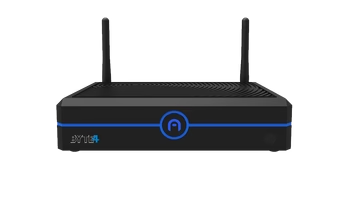
Azulle mini PCs—like the Byte business mini PC and Elite Barebone mini PC—come equipped with reliable processors, sufficient RAM, and strong connectivity options, ensuring smooth video and audio streaming, even in HD or multi-participant meetings.
Can I connect external webcams, microphones, and speakers to a mini PC?
Absolutely. Azulle mini PCs include USB and Bluetooth support, allowing seamless integration with webcams, microphones, headsets, and speaker phones used in professional conference setups.
Are Azulle mini PCs suitable for dedicated meeting room solutions?
Yes. Our devices are perfect for dedicated meeting spaces. They can be mounted discreetly behind screens, configured for auto-launching conferencing apps, and maintained with remote management tools.
Do Azulle mini PCs support dual display setups for conferencing and content sharing?
Yes. Models like the Elite Barebone mini PC support dual display outputs (HDMI + DisplayPort), allowing one screen for participants and another for shared content or presentations.
Is it possible to deploy Azulle mini PCs in large-scale video conferencing environments?
Definitely. We offer bulk ordering, centralized configuration, and OEM customization—making Azulle ideal for businesses rolling out conferencing systems across multiple offices or departments.